
Parking Loop Walkthrough – All Levels
Video walkthroughs and written steps for every Parking Loop level we could find.
This is a fan-made guide. It is not affiliated with Loop Games.
Browse levels
About the game
Parking Loop is a color-sorting garage puzzle from Loop Games, a studio listed on the store as Loop Games Oyun Teknolojileri Anonim Sirketi. The US App Store page opened on September 4, 2026. The game is free to download for iPhone and iPad (iOS 15 or later) and also has a Google Play listing for Android under the package name com.loop.packedloop.
You clear a board by stacking cars of the same color in the columns of a central lot. A one-way ring road runs around that lot. Tapping a car in an elevator lane at the bottom sends it onto the ring, where it travels until it can enter a column mouth. When a column is ready, the matching cars drive away and free their spaces. The badge at the lower right counts how many cars are on the ring, often out of five.
This fan-made site collects a written guide and an attributed YouTube walkthrough for every level we could find a public video for, currently levels 1 through 369 with no gaps in that range. Later levels exist in the app — player reviews mention running well past this set — but a page appears here only when a video exists.
- Publisher
- Loop Games
- Platform
- Android · iPhone · iPad
- iOS release
- September 4, 2026
- Guides on this site
- 369 levels with video walkthroughs
- Updated
- Store
- App Store
 · Google Play
Game screenshots
Loop Games · App Store screenshots
How to play
Start by reading the columns from the mouths at the bottom of the lot upward. Each column holds a short stack of cars. The color at the mouth is the one that will leave first if another car pushes into that column, and it is also the color you usually want to complete. The elevator lanes below the lot hold the next cars you can release. A front car with a clear outline is ready to tap; cars behind it lift when the front one leaves.
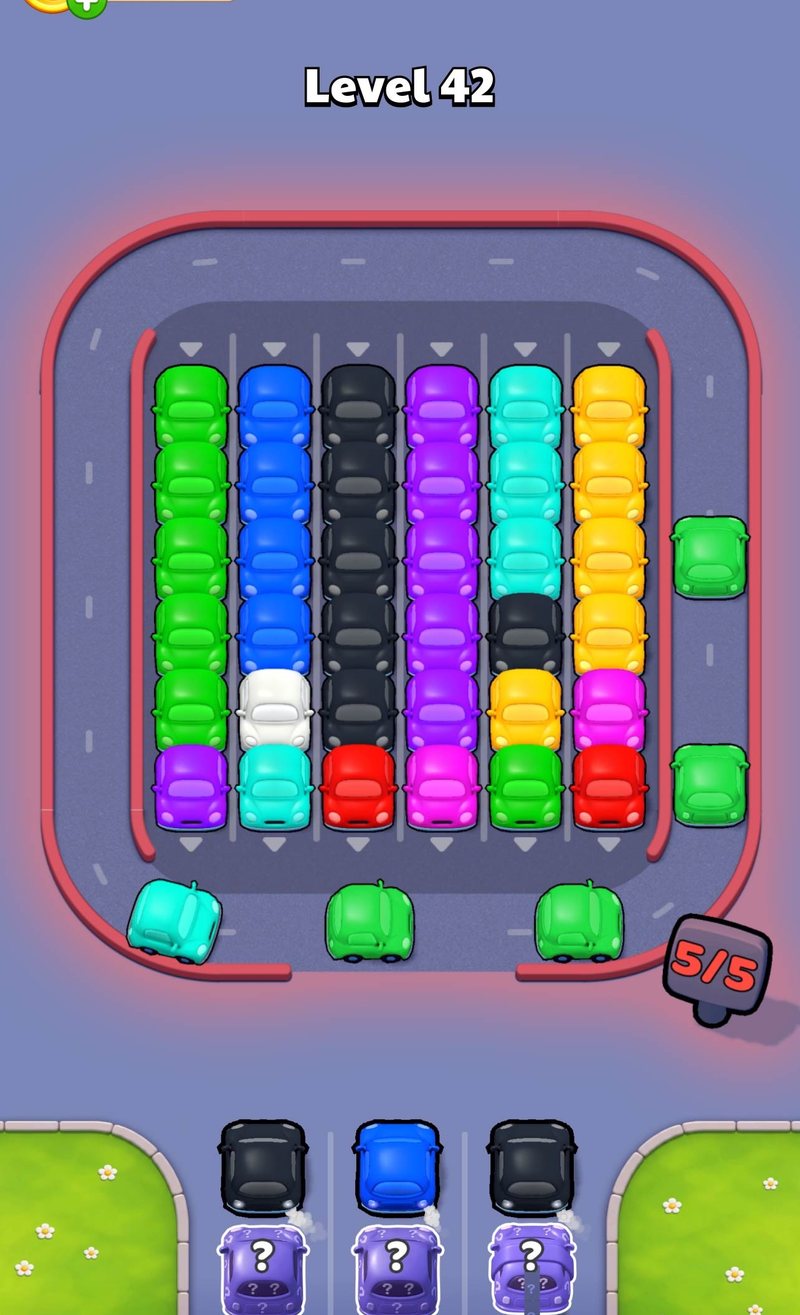
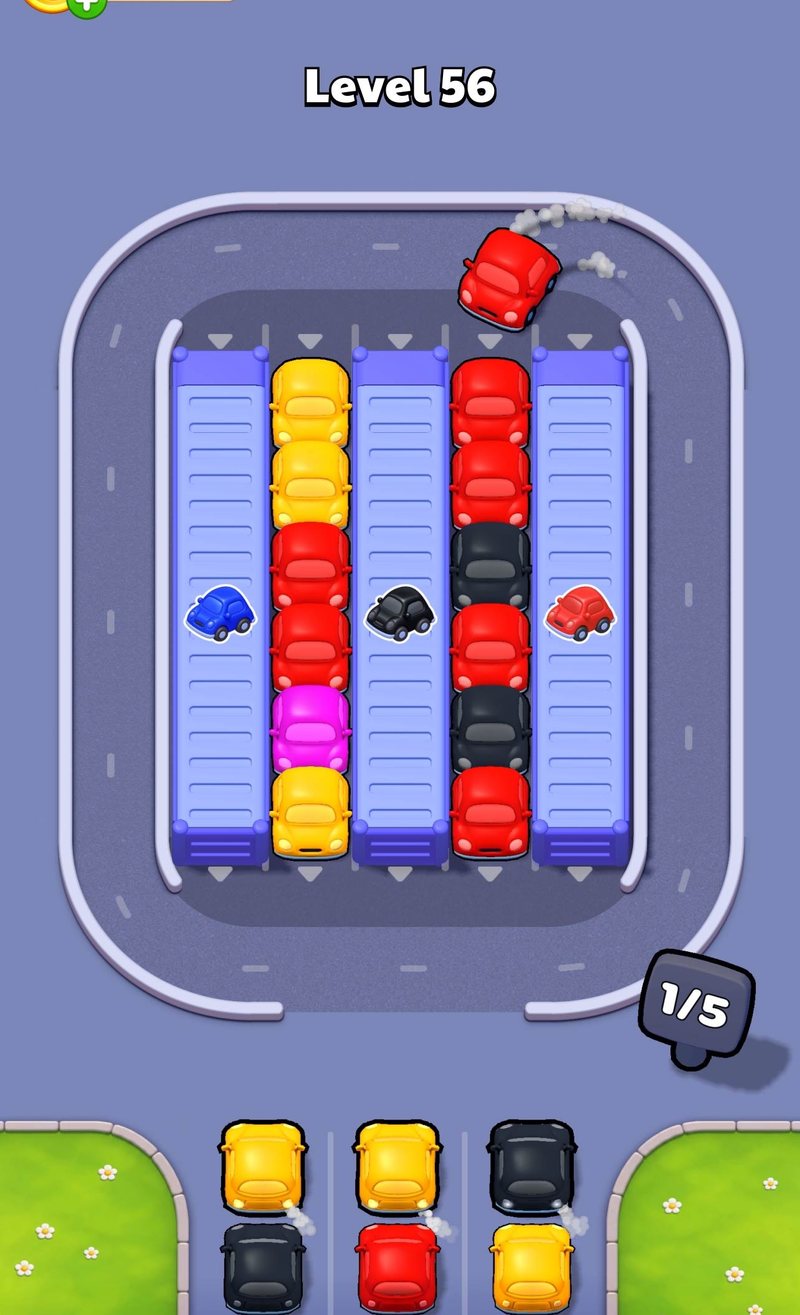
A tap does not drag a car along a path you draw. The released car joins the one-way loop and keeps moving until a column can take it. If no mouth is ready, the car stays on the ring and the badge climbs. In App Store screenshots the badge is drawn as a fraction such as 1/5 or 5/5. When the count reaches its cap, the ring outline turns red. That is the usual signal to stop tapping and wait for a car to enter a column.
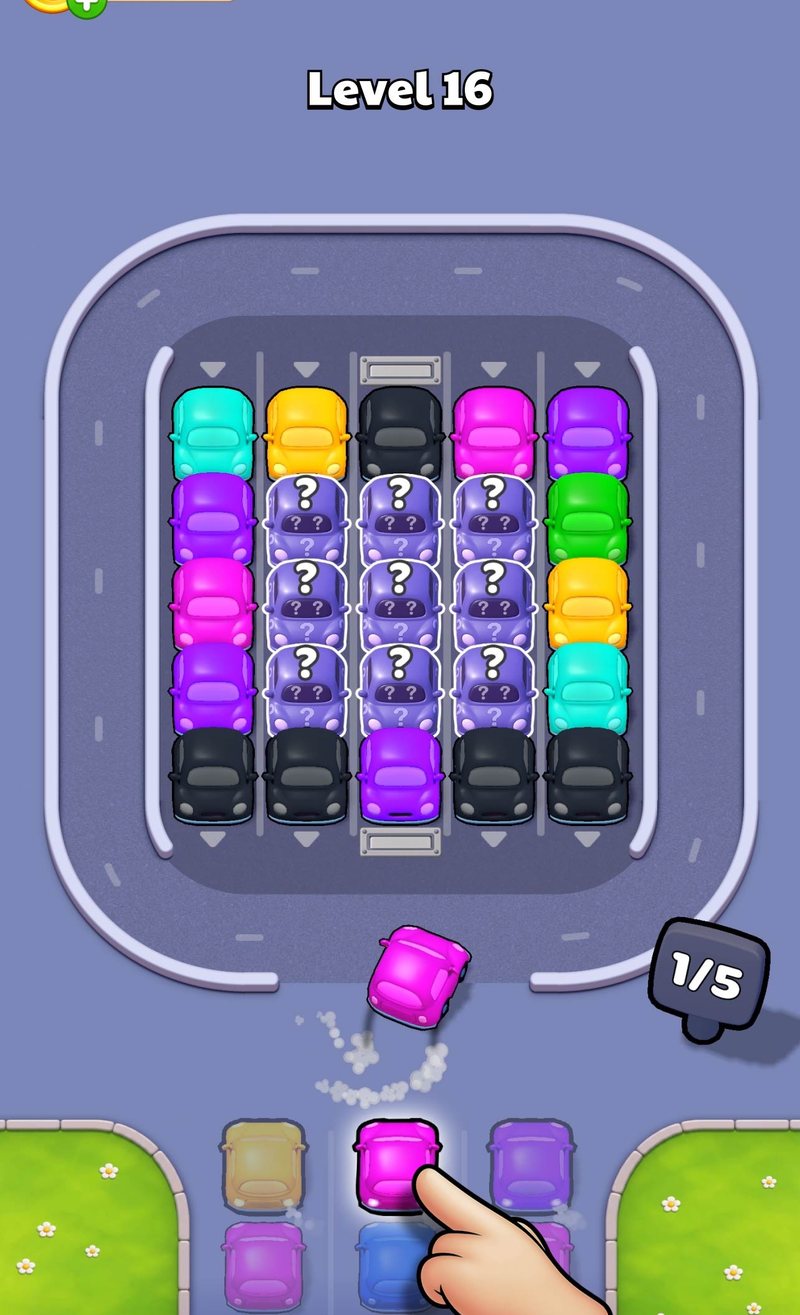
A finished column does not stay on the lot. Matching cars glow, then drive off, and the spaces they leave can be used by the next color. Some boards also include wrapped cars whose color is hidden behind a question mark until they lift, sealed stacks that only split later, cones or barriers that close a bay, and blue covers that lock a lane until a condition is met. Those extras show up in the store screenshots for later early levels such as 16, 32, 42 and 56, and they become more common as the numbers rise.
There is no separate movement cost besides the ring cap and the order you choose. If a release fills the ring or mixes a column you needed, you will have to wait, undo the situation with whatever help the app offers, or retry the level. The how-to-play page walks through each of these pieces with more examples.
Key features
The store listing describes a simple loop with hundreds of puzzles, colorful boards and short, satisfying clears. That matches what the screenshots show: a compact lot, bright cars, and a ring that is always the same shape. Difficulty comes from the number of columns, the mix of colors, hidden information, and how tightly the ring is packed, not from a new road layout on every stage.
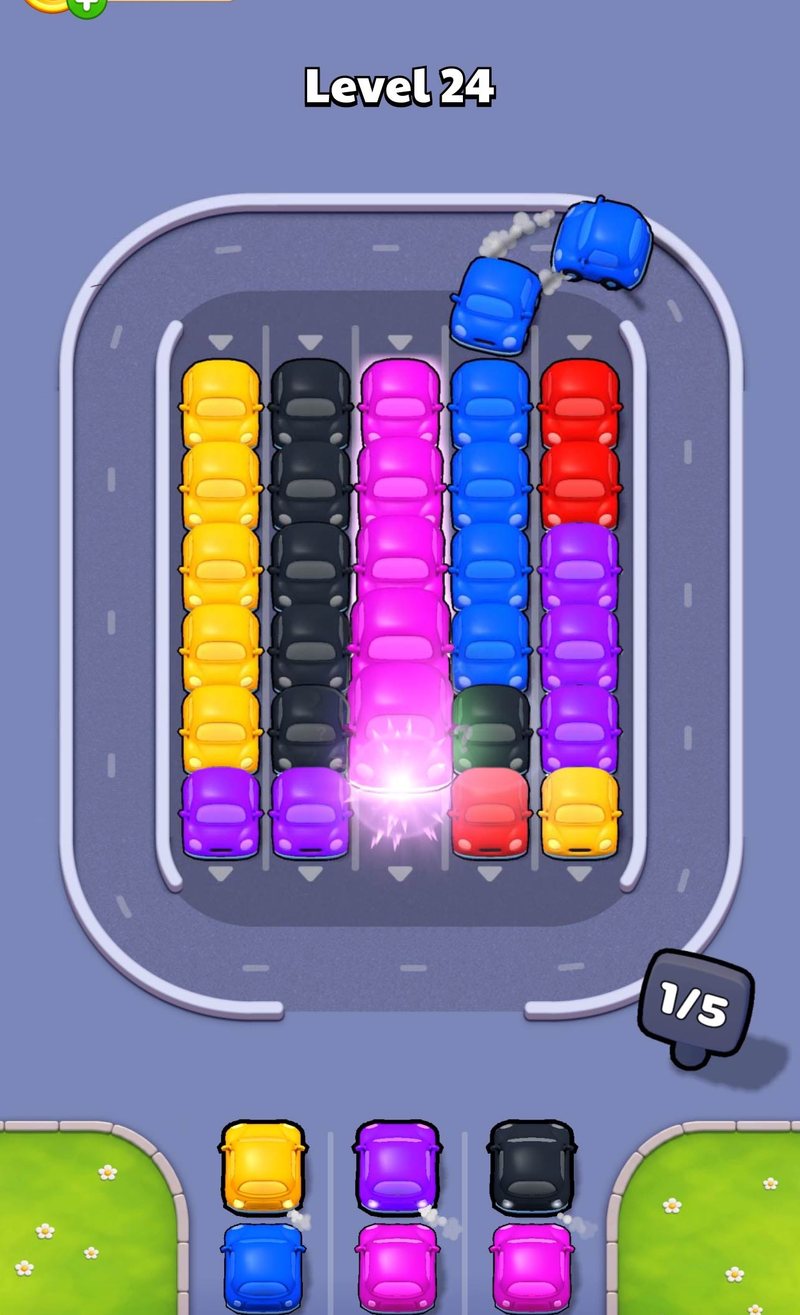
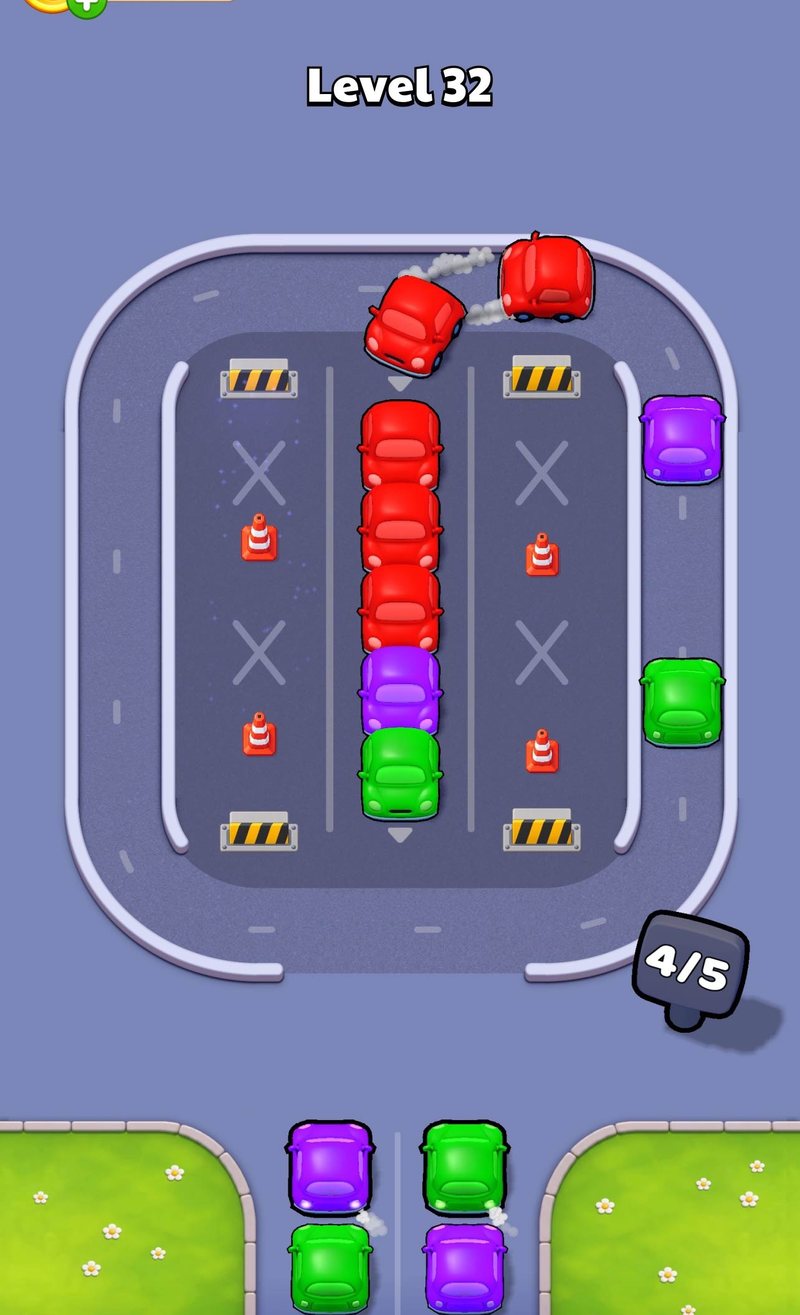
Early boards teach the loop with two or three elevator lanes and a modest set of colors. By level 16 the middle columns can be filled with wrapped cars. By level 24, five deep color stacks and a glowing completed column are already in view. Level 32 introduces cones and closed side bays. Level 42 shows the red 5/5 ring with cars still circulating. Level 56 adds covered lanes and single cars parked on top of those covers. Those five store images are a fair preview of the tools the later videos keep using.
The app is a free puzzle with ads and in-app purchases. The US App Store lists coin packs, welcome or beginner bundles, an end-game offer and a remove-ads bundle, among other items, and prices can change by region. The listing also notes advertising. Player reviews describe watching an ad to move cars in the queue when a board is stuck. Treat those offers as they appear in your own copy of the app; this site does not sell items and does not invent prices.
Game functions
The ring badge is the function you will use on every level. It tells you how many cars are currently circulating. A clear 0/5 or 1/5 board is usually safe to release into. A red 5/5 board is not. Waiting is part of the solution, not a pause in the action.
Elevator lanes are the only place you spend a tap in normal play. You cannot drag a car out of the middle of a column. That means a wrapped or covered car in a lane is information you do not have yet, and a locked lane is a resource you cannot spend yet. Plan with the colors you can already see.
Coins show up in the store as optional purchases and, in many puzzle games of this type, as a reward when a level is cleared. The store does not spell out a complete economy on the public page, so this guide does not invent drop rates or a hidden shop list. If your copy shows a continue, a hint, or an ad that moves three cars in the queue, use that tool only when the ring is already jammed and the written steps plus the video are not enough.
Progress is kept in the app on your device and store account. The public listing does not describe a separate login of its own. If a board looks different from a video after an app update, trust the board you can see.
Difficulty and level types
The first ten levels are short teaching boards. Videos for those clears are often well under a minute. Through the rest of the first fifty levels the lot grows to five columns, wraps appear, and the ring starts to hit its cap. The mid game, from about level 51 to 200, keeps that same ring and asks you to manage more hidden cars and tighter sequences. From the 200s through the 300s, the videos we collected still use the same rules, but the boards stay busy for longer and a single early tap matters more.
On this site a level is marked hard only when the board in a store image, or a clearly longer walkthrough, shows unusual pressure — a red ring, blocked bays, or a clear that runs much longer than its neighbors. If we are not sure, the tag stays normal. Super hard is reserved for cases we can actually support, and most pages will not use it.
Players search some later numbers more than others. Levels such as 24, 49, 59, 94, 119, 139, 144, 159, 179, 199, 219, 224, 229, 259, 289, 294 and 349 show up often in search suggestions, and those pages are written with extra care. The jump box at the top of the site will take you straight to any of them.
General tips and strategies
Finish a column that is already close to one color before you open a new color. A column that drives off frees a mouth, and that is usually worth more than putting a new shade into circulation.
Read the badge before every tap. If the ring is already at four cars, the next release may turn it red. Wait for an entry if you do not have a column ready for that fifth car.
Treat a wrapped or question-mark car as unknown until it lifts. A small outline on a sealed stack can be a hint, but the real row is only reliable after the wrap opens.
When a side bay is blocked by cones or a cover, ignore it until the board gives it back. Spending taps on cars that cannot enter that space only loads the ring.
If two elevator fronts look equally useful, prefer the one that completes a column or that pushes a blocking color out of a mouth you need. The video on each page shows one working order; pause when the ring turns red and match the next front the player taps.
- Look at column mouths first, then the badge, then the elevator fronts.
- Do not tap through a red 5/5 ring.
- Reveal hidden colors before you commit a whole lane.
- Retry from the first mixed column, not from a later panic tap.
Common problems
If you are stuck, the usual cause is a ring that is full of colors that have no mouth, or a column that has been mixed so it can no longer finish. Stop tapping, let the badge drop if it can, and look for a column that is one or two cars from a single color. The video is there for the exact release order of that layout.
If hidden cars make the board feel like guesswork, wait for the wrap to lift and only then decide the lane. Several US App Store reviews describe this as the point where planning gets harder. That is a design choice in the later puzzles, not a broken file. Use the video when the hidden row is the difference between a clear and a jam.
Ads are part of the free listing. One US review described a particular ad that glitched and forced a restart. If an ad leaves the game in a bad state, force-close the app and reopen it, and consider the remove-ads option in the store only if you want it. This site cannot disable ads in the game.
If a later update changes a layout, the steps on an older video may not match your board. Check the level number and the opening columns. When they differ, follow the board you can see and use the general rules on this page rather than forcing a stale route.
We have not seen a separate cloud-account system described on the public store page. If progress looks missing, confirm you are on the same device and store account you used before, and that the app has finished loading.
FAQ
What is Parking Loop?
It is a garage-sorting puzzle from Loop Games in which cars circulate on a one-way ring around a central lot until same-color columns can drive away.
When did Parking Loop come out?
The US App Store listing opened on September 4, 2026. A Google Play page exists for Android as well.
How do you beat a level?
Release elevator cars onto the ring in an order that lets columns fill with a single color, and wait when the ring badge reaches its cap.
What does the 5/5 badge mean?
It counts the cars currently on the ring. At the cap the outline turns red, and new releases have nowhere useful to go until a car enters a column.
Why are some cars marked with a question mark?
Those wrapped cars hide their color until they lift to the front of a lane or a sealed stack splits. Plan around the colors you can already see.
Is this site affiliated with Loop Games?
No. These are fan-made guides with attributed YouTube videos and original written steps.
Do you cover every level in the app?
We cover every level from 1 to 369 for which we found a public walkthrough video. Later levels may exist in the app but do not get a page here until a video is available.
Where can I download the game?
Use the App Store listing for iPhone and iPad or the Google Play listing for Android. Availability can vary by region.